Skip to content

Meet CasaDots

Your team,
extended.

AI teammates that work alongside your people—and keep operations moving when they log off.

Start with a Shared Dot. Free for a limited time.

Connected with humans and tools

Your workflows.
A few words away.

Build workflows around how your team works. Use a #command to give a Dot the task—it brings together the context and tools to get it done.

#new-payment-link · Create → Confirm → Send → Record

Maya · Finance

#new-payment-link Send Jamie Lee a payment link for October’s rent.

Payments Dot

Jamie’s October balance is €900 for River Court. Send the link via WhatsApp?

Maya · Finance

Yes, send it.

Payments Dot

Sent to Jamie on WhatsApp. I’ve added the link and delivery status to the payment record.

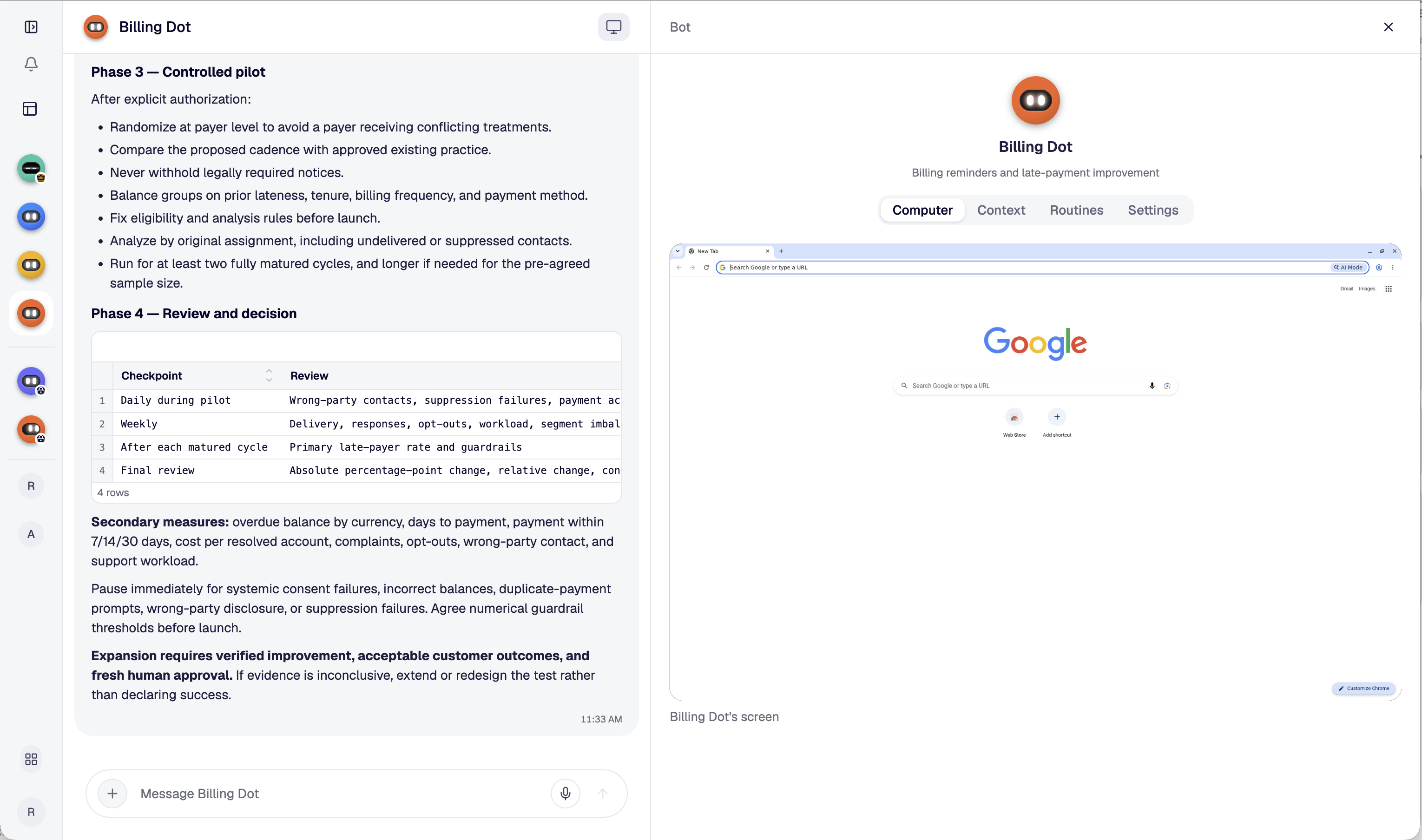
CasaDots product screenshot showing Billing Dot’s discussion and its own computer, with Context, Routines and Settings tabs.

Your apps. Your way of working.

Connects to your apps.
Builds what’s missing.

Give your Dots access to the tools your team uses. If there’s no connection, a Dot can use its own computer—or build a tool for the job. You decide what it can access and do.

Maya · Finance

We use Xero, but there’s no connection for our internal approval tracker.

FinOps lead Dot

I can use Xero on my computer and build a tracker for the approvals. Let’s agree what it needs before I get started.

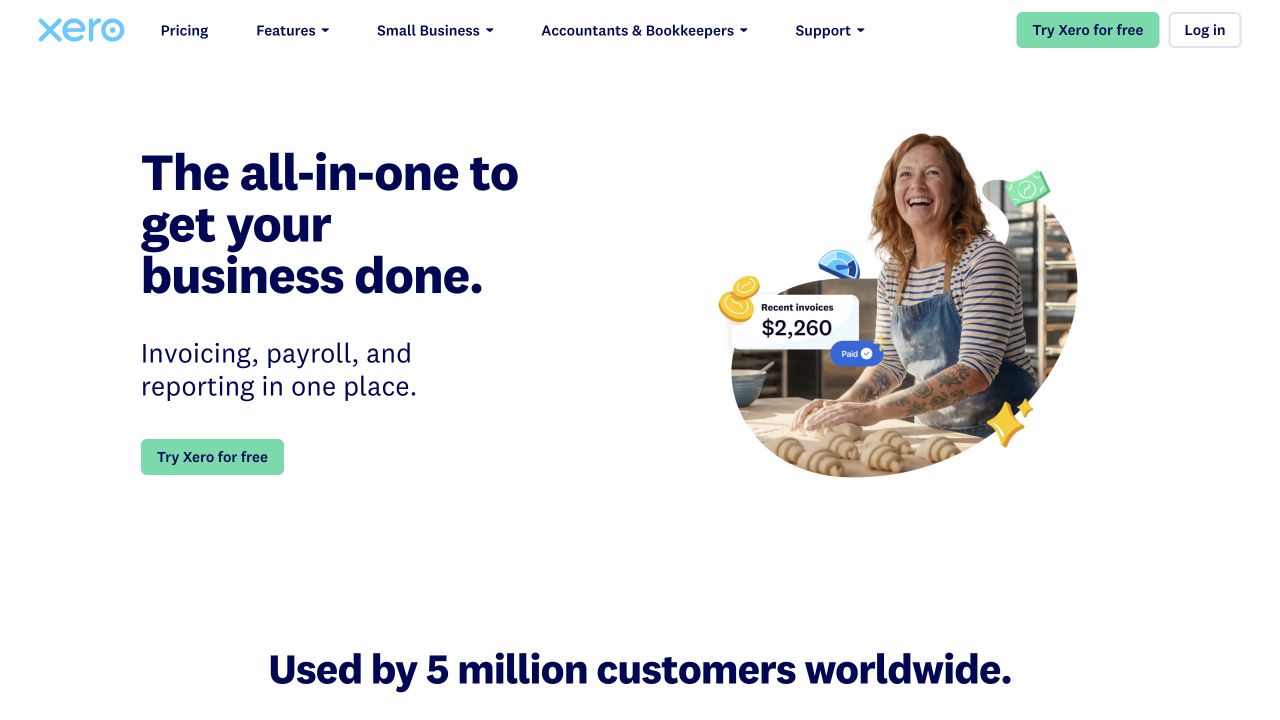
Dot’s computerxero.com
Xero’s public homepage shown as an example website a Dot could use on its computer.
Example website · Xero homepage

Illustrative workflow. App icons are examples, not a list of verified integrations.

Communication and context, together

Structured data. Shared visibility.
Your team in control.

Dots keep records organised and up to date. Your team can see what changed, who owns the next step, and what needs approval.

Maya · Finance

Keep our outstanding payments updated and flag anything that needs a decision.

FinOps lead Dot

Updated. Alex owns the next follow-up, and one item needs your review. Everyone with access sees the same records.

Outstanding paymentsShared with your team
Sample records
AccountOutstandingOwnerStatus
Cedar House€1,250AlexFollow-up due
River Court€900MayaNeeds review
Park View€650Billing DotPayment plan
Illustrative shared view · sample data

Private when needed

Room for the team.
Space for private work.

Work together by default. Keep sensitive conversations private when you need to, and choose what to bring back to the team.

Private conversation · Maya + FinOps lead Dot
Maya · Finance

Let’s work through this sensitive forecast privately first.

FinOps lead Dot

We can prepare it here. Tell me when you’re ready to share a summary with the team.

Illustrative private-work concept.

FinOps lead Dot

The big picture.
The right Dot for every task.

FinOps lead Dot brings payments, reconciliation and payouts into one clear update, delegates tasks to specialist Dots and keeps your human team in the loop.

Maya · Finance

Can you get the team ready for month-end?

FinOps lead Dot

I’ll review payments and payouts. Billing Dot, prepare the landlord statements. Customer support Dot, pick up the tenant payment questions. I’ll bring the updates back to your team.

Billing Dot

Your month-end.
Handled.

Rent, fees and expenses brought together into clear landlord statements. Billing Dot prepares the work. Your team reviews it.

Maya · Finance

Can you prepare October’s landlord statements?

Billing Dot

On it. I’ll bring the rent, fees and expenses together for your review.

Customer support Dot

A tenant needs help.
Let me handle it.

From a missing receipt to a payment question, Customer support Dot helps tenants and keeps your whole team in the loop.

Sam · Property team

Jamie just called. They can’t find their rent receipt.

Customer support Dot

Let me handle it. I’ll check the payment and prepare a WhatsApp reply.

A Dot for every workload

Start small.
Give your team more capacity.

Start with one shared Dot, or choose shared and private Dots for your team.

One Dot, shared with your team

Shared Dot

One shared Dot for your people to work with together.

FreePer Dot · for a limited time

  • 1 active job per Dot
  • Standard speed
  • Works alongside your human team
  • Its own computer for your tools
  • Shared context and updates
Meet your first Dot

Shared and private, together

Team of Dots

A team of shared and private Dots, shaped around your people’s work.

€190 / monthPer Dot · choose how many you need

  • 5 parallel jobs per Dot
  • 2× faster than Shared Dot
  • Start with 1 Dot, add more as you grow
  • Shared and private Dots included
  • Clear responsibility for each Dot
  • Shared context across the team
Meet the team

A few things to know

Working with Dots.

How is CasaDots different from Claude, ChatGPT or Slack?

CasaDots is organised around AI teammates with ongoing responsibilities. Your people work together with each Dot, sharing its context, tools and records to move work forward.

Can I invite my team members?

Yes. Your teammates can work with the same Dots, contribute context, review results and coordinate next steps in a shared workspace.

Do I choose from predefined Dots?

You shape each Dot around your team’s work. Give it a responsibility, the context it needs and access to the right tools—from a single recurring task to a broader workflow.

Which tools can CasaDots work with?

CasaDots helps you connect tools such as Gmail, Outlook, Slack, HubSpot, Xero, QuickBooks and Stripe. Our catalogue lists 50+ tools and services, with access to 1,500+ connectors and tools through third-party platforms. Depending on the service, setup uses a connector, API access or secure browser sign-in. Availability depends on your account, permissions and the third-party platform.

What if there is no ready-to-use connection?

A Dot can use its own computer to work with a tool through browser sign-in, or help build a tool for the workflow. You decide which accounts and information it can access. What is possible depends on the service and the access available.

What can a Dot build?

Dots can build tools around your workflows, such as trackers, structured tables, dashboards and approval flows. Your team defines what’s needed and reviews the result.

Can Dots create dashboards, tables and Kanban boards?

Yes. Ask a Dot to organise your information into a saved View—a dashboard, table, tracker or Kanban board. The Dot prepares the layout using the context and data you provide. Keep it private or share it with your workspace so your team can return to it. Automatic updates depend on the connected data and refresh setup.

Do I need a special Dot to create a View?

No predefined specialist is needed. Ask the Dot working on that topic to prepare the View, with access to the relevant information.

Can we create reusable workflows?

Yes. Define a workflow and trigger it with a command such as #new-payment-link. The Dot follows the agreed steps, asks for approval where required and records the outcome.

How do we stay in control?

Your team sets responsibilities, access and approval steps. Shared records make ownership, status and changes visible, while sensitive work can stay private.

Do Dots keep working when we log off?

Dots can continue assigned work around the clock. When they need your input or approval, they leave it for your team to pick up—you don’t need to stay online.


CasaDots

Your work. Your Dots.
One team.

Shape AI teammates around your workflows. They work with your people—and keep things moving when your team logs off.